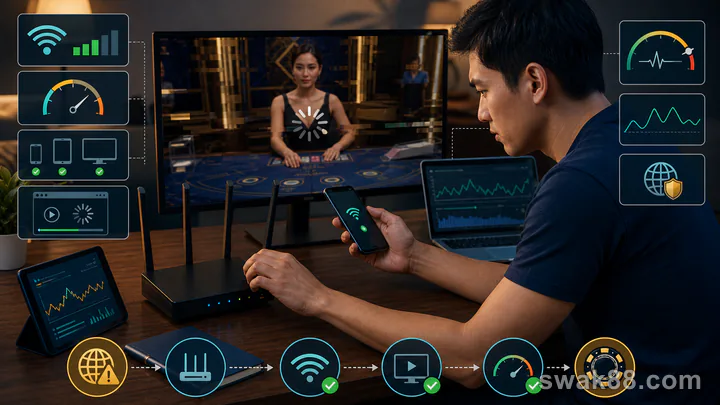
Fix the Stream Before You Put Money on the Table
When a casino online live table freezes, the safest response is to stop betting until the video, betting controls, balance, and round history all agree. Do not guess what happened from the picture alone. Live dealer games combine a video stream with a separate betting interface, so a smooth-looking dealer feed does not guarantee that your tap reached the game server, and a frozen picture does not necessarily mean the recorded result is missing.
Use the sequence in this guide before placing another wager. It separates problems on your phone or connection from problems at the table, protects you from betting into an unclear round, and creates a useful record if support must investigate.
First Identify the Type of Failure
Not every interruption has the same cause. Look at the clock, controls, and balance rather than focusing only on the dealer video.
| Symptom | Most likely layer | What to do immediately |
|---|---|---|
| Video stutters but betting buttons and countdown respond | Stream quality or bandwidth | Lower video quality and watch one round without betting |
| Countdown freezes and taps do not confirm | Connection latency or game session | Stop tapping, wait for a clear confirmation, then reload |
| Video is smooth but a bet remains pending | Game server or account session | Do not submit a second bet; record the round ID |
| Table closes or returns to the lobby | Provider session dropout | Check balance and game history before reopening |
| Balance changes but no result appears | Display synchronization | Refresh history and compare the recorded wager and result |
| Every table fails on one device | Device, browser, or local network | Test another supported browser or connection |
| One table fails while other tables work | Specific studio or table | Leave that table and report its exact name |
The key distinction is confirmation. A bet is not safely placed just because you tapped a chip or button. Look for the stake appearing in the betting area, a confirmed status, and a matching entry in game history. Repeated taps during lag can create duplicate wagers if the first request arrives late.
A Seven-Step Troubleshooting Order
Follow these steps in order. Changing several things at once makes it harder to identify the real cause.
- Stop wagering for one full round. Let the current round finish without another tap. Note the table name, game type, displayed time, and round ID if available.
- Check the betting controls. Confirm that chip selection, bet amount, countdown, and cancel or undo controls update normally. A moving video with frozen controls is not a playable table.
- Lower the stream quality. Open the table settings and switch from HD or automatic quality to standard or low. This reduces video bandwidth without changing the recorded game result.
- Close competing traffic. Pause downloads, cloud backup, video calls, and other streams. On mobile, make sure the phone is not switching repeatedly between Wi-Fi and cellular data.
- Reload once, not repeatedly. Exit to the lobby, wait a few seconds, and reopen the same table. Multiple rapid refreshes can create overlapping sessions.
- Test a second table. Open another live table, preferably from a different studio if the lobby identifies providers. If only one table fails, the problem is unlikely to be your whole device.
- Check account history before resuming. Compare the balance, wager amount, timestamp, and result. If anything is missing or duplicated, stop and contact support.
This order matters because it starts with the least disruptive checks and preserves evidence. Clearing app data, reinstalling, or resetting a password too early can remove useful session information without solving a table-side problem.
Measure Stability Without Risking a Bet
You can test a live casino online table without staking money. Watch two complete rounds and record four simple observations:
| Check | Pass condition | Warning sign |
|---|---|---|
| Video continuity | Dealer actions remain understandable from betting close to result | Repeated freezes longer than the betting window |
| Countdown | Timer moves steadily and closes at the expected point | Timer jumps, stops, or reopens |
| Control response | Settings and table panels respond promptly | Menus require repeated taps |
| History update | Completed rounds appear in order | Missing, duplicated, or delayed round records |
If the table fails any one of these, changing the bet size does not make it safer. Leave the table and troubleshoot first. A minimum stake is still real money, and lag is most dangerous when it encourages a player to press again because nothing seemed to happen.
Fixes for Mobile Data, Wi-Fi, and Desktop
On Mobile Data
Move to an area with a stable signal and disable any setting that automatically switches between Wi-Fi and mobile data. This matters on Philippine dual-SIM phones: a data handoff between SIMs, or from prepaid mobile data to public Wi-Fi, can interrupt the betting session even when both connections appear usable. A phone can show strong bars while still having unstable latency. If standard-quality video works but HD does not, keep the lower setting; table readability matters more than picture sharpness.
Avoid playing while travelling. Handoffs between cell towers can interrupt the session at exactly the point when the betting window closes. Also disable battery-saving modes that restrict background network activity or reduce browser performance.
On Wi-Fi
Move closer to the router and choose the band for the actual setting. Use 5 GHz when you are near the router and need more capacity for video; use 2.4 GHz when walls or distance make 5 GHz unstable. Pause large uploads and downloads. If several household devices are streaming, test again when the connection is quieter.
Restarting the router can help with a local issue, but first check game history and save any disputed round details. Never reset equipment while a wager is unresolved.
On Desktop
Use a current supported browser, close video-heavy tabs, and disable extensions only if they are clearly interfering with the table. Test the same table in a clean browser window before changing account settings. Keep hardware acceleration at the browser's normal default unless the video itself shows rendering artifacts across multiple sites.
If the lobby offers both browser and app access, treat them as separate tests. A working app and failing browser suggest a local browser issue; failures in both may point to the network, account session, or provider.
What to Do When Lag Happens During a Bet
If the betting window freezes after you submitted a wager, do not press the same betting control again. Wait for the round to close, then compare three records: the visible balance, the casino account's game history, and any table-level bet receipt or round log.
Capture:
- the table and provider name;
- the round ID;
- local date and time;
- stake and bet type;
- balance before and after, if known;
- a screenshot of the error or frozen state;
- the game-history entry.
Support can investigate a specific round far more effectively than a message saying only that “the game lagged.” Do not claim the visual stream changed the outcome; the useful question is whether the server recorded the wager and settled it consistently.
If the round history shows a wager you did not intend to duplicate, stop playing until support answers. If no wager appears and the balance is unchanged, observe another round without betting before deciding the session is stable.
Escalating a Disputed Round in the Philippines
For a Philippine-facing platform, record the incident time in Philippine Time (PHT, UTC+8) as well as any timestamp displayed by the game. Start with the operator's official support channel and request a ticket number. Include the provider, table, round ID, stake, balance change, screenshots, and the exact connection event. Keep the original files rather than sending only cropped images.
First verify that the platform appears on PAGCOR's current official licensed-platform records. A PAGCOR logo on the casino page is not sufficient. For a platform that is actually under PAGCOR oversight, the regulator's current service-provider framework requires a customer-service ticketing facility for player complaints and says complaints must be acted upon within 72 hours. That is a response boundary, not a promise that every claim will be decided in the player's favour.
If the licensed operator does not act on the documented complaint, use the Contact Us or regulatory contact route on PAGCOR's official website and provide the operator ticket number and evidence bundle. If the site cannot be verified as licensed, do not keep depositing while pursuing the issue; preserve the payment and game records and report the platform through the appropriate official channel.
When the Problem Is the Table, Not Your Connection
A specific table may be unavailable even when the rest of the casino works. Signs include one studio failing across two devices, a table repeatedly returning players to the lobby, or other games loading normally on the same connection.
In that case, switch tables only after confirming the prior round is settled. Do not chase the same game by opening several copies. If you are new to live dealer formats, the live casino online first-game guide explains betting windows, table limits, and the difference between live and RNG play. For choosing a game with a pace and house edge you understand, compare the odds across blackjack, baccarat, and roulette.
Prevent the Same Failure Next Session
Before opening a table, set a loss limit and session time, confirm your connection is stable, and watch one round without betting. Use a video quality your device can maintain rather than the sharpest setting available. Keep one account session open, and avoid switching networks mid-round.
Use this pre-bet checklist:
- Watch two complete rounds with a steady timer and responsive controls.
- Confirm the table limit fits the amount you planned to risk.
- Make one deliberate bet and wait for visible confirmation.
- Never repeat a tap because the screen appears slow.
- Check history immediately after any dropout.
- Save the round ID before contacting support.
- Leave if the stream and recorded account state do not agree.
A reliable casino online live session is not merely one with clear video. It is one where the countdown, controls, confirmed wager, balance, and round history stay synchronized. If any of those signals are unclear, the correct fix is to pause—not to bet through the problem.
Related Reading
For a closely related guide on this site, read Bingo Casino Games in the Philippines: 90-Ball, 80-Ball, and 75-Ball Rules Compared.